A look inside Hey Spot.
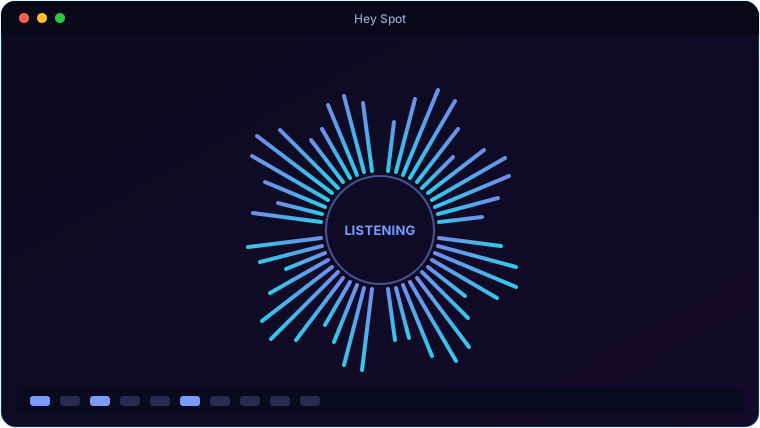
Everything Hey Spot brings to the table.
Speech Recognition, Offline
Voice is transcribed on your own PC with a bundled Vosk model. No cloud, no account, no audio leaving the machine for ordinary commands — it works with the network off.
Continuous Wake Word
A single always-on audio stream listens for "Hey Spot" without the constant beeping and mic-churn of a polling assistant — and it gates itself while speaking so it can't wake itself up.
Real Control Of Your PC
Launch apps, set the volume, work the media keys, lock, sleep, shut down, take a screenshot, show the desktop, type, scroll and press key combos — all by voice.
Click Things By Name
Windows UI Automation lets Spot read the interactive controls in your foreground window, so "click Save" or "right click the file name" hits the real control instead of a guessed coordinate.
Any Settings Page
Around ninety mapped phrases open the exact Windows settings page or classic applet you asked for — "open display settings", "open device manager" — and it understands pages beyond the built-in list too.
Asks Before Anything Destructive
Shutdown, restart, delete, uninstall, close-without-saving — Spot speaks a confirmation and waits for a yes. It stays on by default, and you can toggle it off.
System requirements.
Minimum
- OS: Windows 10 (64-bit) or Windows 11
- CPU: Dual-core, 2.0 GHz
- Memory: 4 GB RAM
- Graphics: Any DirectX 11 / integrated GPU
- Storage: 250 MB + space for your files
- Display: 1280×768 or higher
- Audio: a microphone, and speakers or headphones
- Storage: 4 GB — the offline speech model is bundled
Recommended
- OS: Windows 11 (64-bit)
- CPU: Quad-core, 3.0 GHz
- Memory: 8 GB RAM
- Graphics: Dedicated GPU (optional)
- Storage: SSD with a few GB free
- Display: 1920×1080 or higher
- Memory: 8 GB RAM so the large offline speech model loads comfortably
Speech recognition runs on your own machine, so ordinary commands work with no internet connection at all. Freeform questions are optional and need your own free Google Gemini or Anthropic API key.
The details.
| Speech in | Vosk offline model bundled (large en-US) · online recogniser optional as a fallback |
| Speech out | Windows SAPI5 voices · selectable voice and pitch |
| Interface | Animated orb (breathing, audio-reactive, splash particles) · aurora background · frameless branded shell · system tray · always-on-top floating bubble |
| Triggers | "Hey Spot" wake word · global hotkey (default Ctrl+Alt+S) · click the orb or bubble |
| Control | App launch · volume · media keys · lock / sleep / shutdown / restart · screenshot · type / scroll / hotkeys · click controls by name · ~90 settings pages |
| Freeform answers | Optional. Bring your own free Google Gemini or Anthropic API key — leave it blank and the offline command set still works in full |
| Platform | Windows 10 / 11 · per-user install, no admin |
Hey Spot is coming soon.
A voice assistant that actually runs your PC.
🔜 Coming soonBuilt and installed here, offline speech and all — the store page is going up next.